Toasty
 Toasty Study Calendar
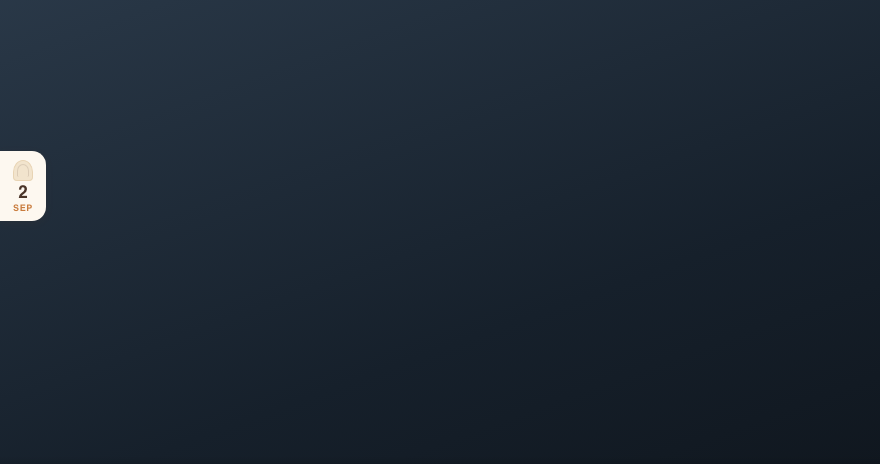
Berry — this is yours. A Twitch extension that lives on the left edge of your player: a shared calendar, a task board, a focus timer, and a few quiet numbers each of your viewers keeps to themselves.
Everything in it runs on the chat commands your viewers already type, so nobody has to learn anything new. You never hand over a password, and there is nothing you have to set up.
Where it stands right now
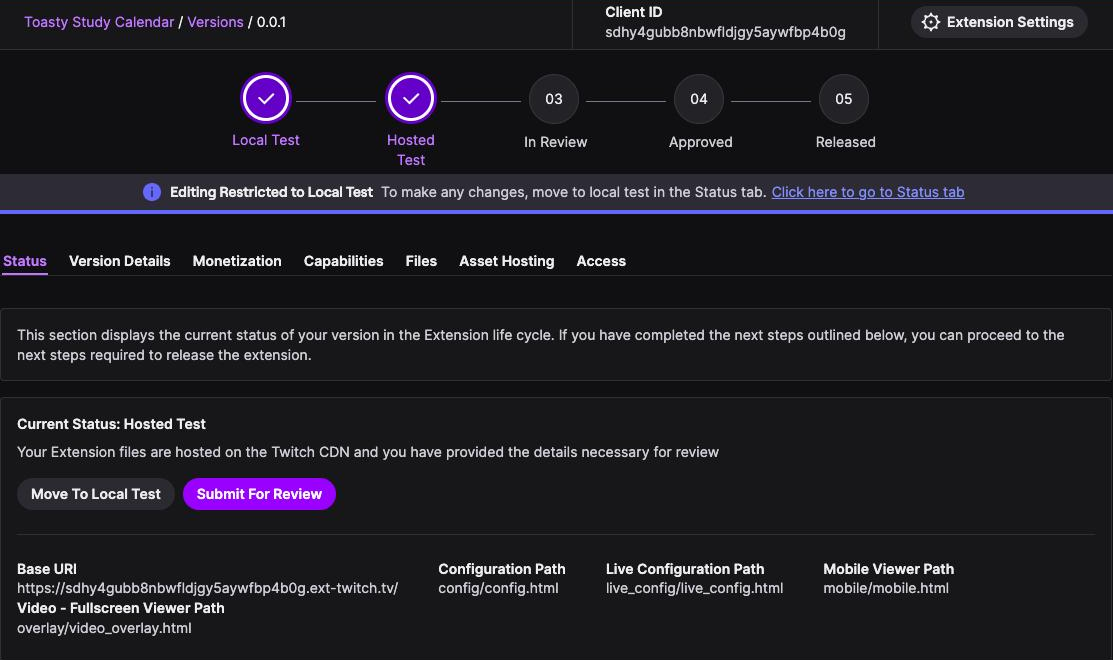
The extension is in Hosted Test — built, deployed, and running on Twitch's own CDN. Your account is on the testing allowlist, along with one other.
Testers are not the same as viewers. Until Twitch reviews and releases it, only allowlisted accounts can see it at all. So the calendar works, but for now it is yours and that one other account's — your community will not see it until release. Everything Twitch asks for before review is already filled in, so that submission can happen whenever you are happy with it.
The calendar
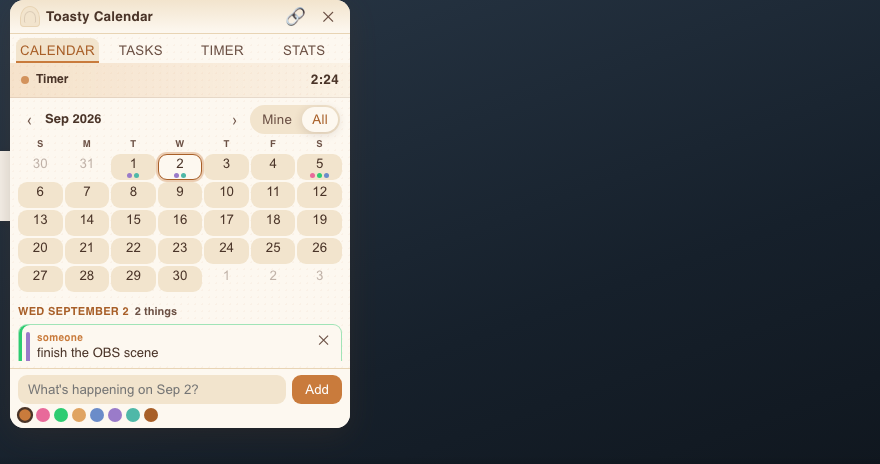
A real month grid. Each day carries up to three coloured dots — one per thing on it — and a
+N when there are more. Today is ringed. Anyone can pick a day and it takes over the
panel, with one card per entry and a box to add their own.
Entries are public within your channel: everyone watching sees what everyone else has coming up, which is the point of a co-working calendar. The Mine / All switch is just a filter on top of that.
8 colours, chosen with a word — red, teal,
brown. Titles are up to 80 characters, and dates can run from
30 days back to 400 days ahead.
Tasks
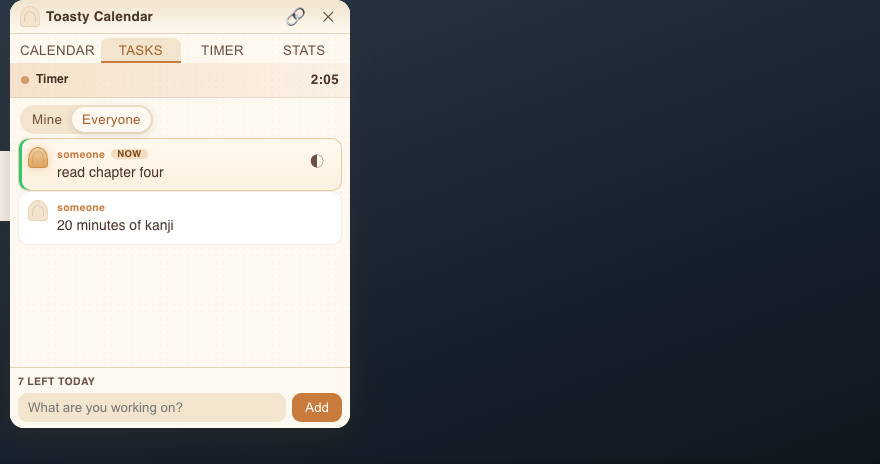
Two groups — Working on and Done — with a count on each. A
viewer taps the ring on their card to move it along: ○ todo → ◐ doing → ✓ done.
Whatever is in progress gets a NOW chip.
- A task that arrived from chat is marked 💬, so it is obvious where it came from.
- Clear mine lets someone tidy their finished ones away — and leaves an Undo chip, because it is a tidy-up, not a delete.
- 8 tasks per person per day, up to 140 characters each. The box counts down for them and finishes with "That's all 8 today 🍞".
The timer
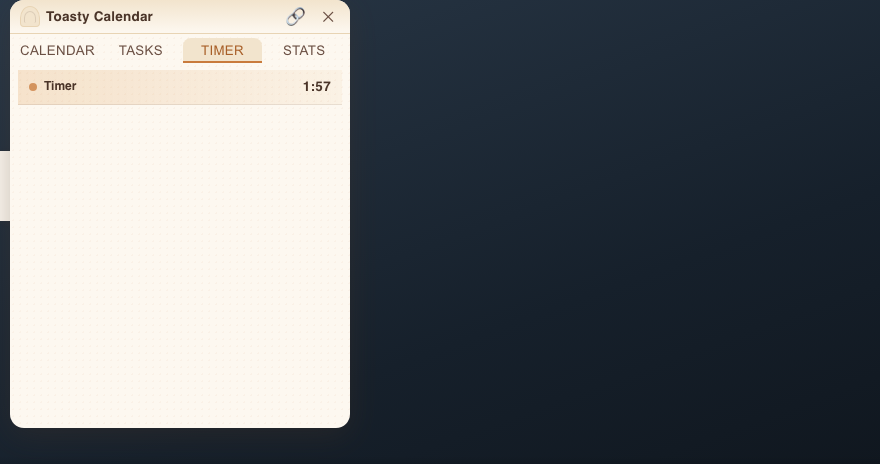
Two separate clocks. A one-shot break timer for "back in five", and a pomodoro cycle that keeps going — focus, break, focus, counting rounds. Both render on every tab, not just the Timer one, so nobody has to go looking for them.
When a timer ends it says Time's up and stays on screen for a moment instead of vanishing, so latecomers still see what just happened.
The countdown is deliberately not the server's clock. Every viewer is a few seconds behind live, and by a different amount. Toasty asks Twitch how far behind each one is and adds it in — so when you say "twenty seconds left" out loud, the number on their screen says twenty too.
Quiet numbers
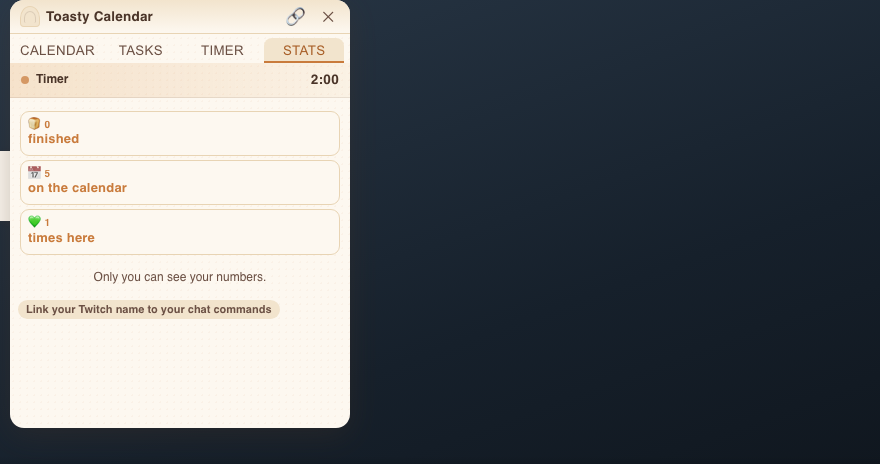
Three counters for each viewer: things finished, things on the calendar, and times turned up. They are private — each person sees only their own, and you do not see them at all.
Counts, never streaks. Nothing here can go down. A streak punishes the day someone was ill, and this is a study calendar, not a habit-shaming app.
Your chat, in the extension
This is the part that surprises people. Toasty reads your chat and turns the commands your viewers already type into cards on the overlay. Same words, same StreamElements replies — the entries simply show up on the video as well.
| Type this | Who | What happens |
|---|---|---|
!caladd 9/10 obs open source red | any viewer | A calendar entry appears on Sep 10, titled obs open source, in red. |
!taskadd read chapter 4 | any viewer | A task card appears, marked 💬 so everyone can see it came from chat. |
!taskdone 3 | any viewer | Ticks their 3rd task. Bare !taskdone ticks their most recent one. |
!mylist · !mystats · !taskstats | any viewer | Nothing appears — StreamElements already answers these in chat, and one bot answering is better than two. |
!timer 5 · !timer stop | you & your mods | The one-shot countdown, on the video, for everyone watching. |
!focus 25 · !break 5 · !pomo stop | you & your mods | The repeating pomodoro cycle — phase, minutes left, and round number. |
You never hand over a password. Toasty joins your chat the way any logged-out viewer does — anonymously. No login, no OAuth, no bot invite, no permissions on your account. It cannot post, ban, host, or read anything private, because it never signs in.
- It never writes to chat. StreamElements already answers; two bots replying to one command is worse than one.
- Bad input is ignored, not guessed.
!caladd 2/30 nopedoes nothing at all, rather than putting a wrong date on your stream. - The year is inferred forwards.
!caladd 1/15typed in September means next January. Type the year and it is obeyed. - A dropped connection cannot double your calendar — every message carries an id from Twitch, and repeats are discarded.
- Mod-only commands are checked against the badges Twitch signs, never against anything typed in the message.
For you and your mods
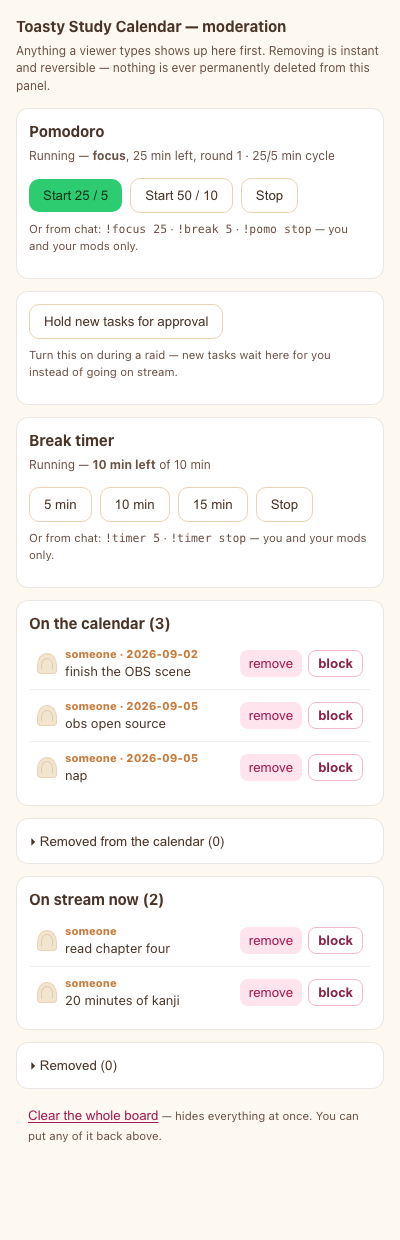
A moderation panel sits in your Creator Dashboard while you stream. Your mods get it too.
- Pomodoro first — the buttons you will reach for most, biggest and at the top.
- Hold new entries for approval — raid mode. Nothing reaches the stream until you say so.
- Every calendar entry and every task, each with remove and block.
- Removed things go to a list you can reopen, each with put back. Removing is never a black hole.
- Clear the whole board sits quietly at the bottom and needs two taps — and everything it hides is still recoverable above.
remove and block look deliberately different, because they are: one takes a card off the screen, the other silences a person for the rest of the stream. Blocking sweeps both their tasks and their calendar entries — one button, that person gone, as you would expect.
Nothing is ever really deleted. Clearing stamps a time and the row stays, so there is no timer quietly eating anyone's history.
Your settings
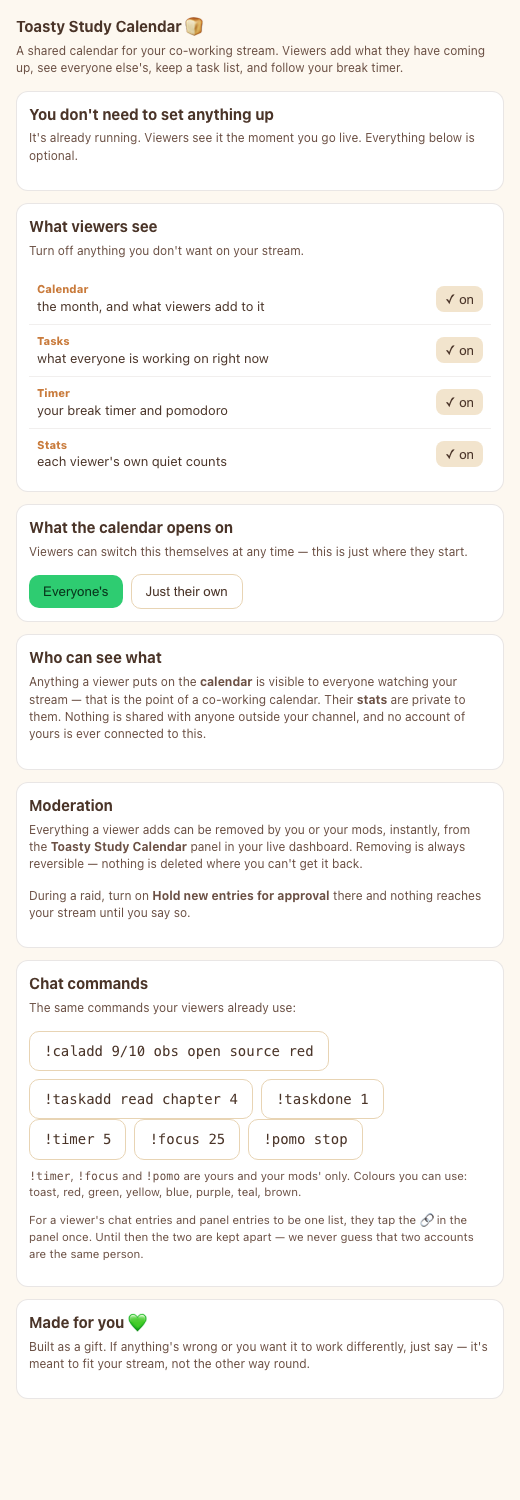
The config page opens by telling the truth: "You don't need to set anything up — it's already running. Everything below is optional."
- Four switches — Calendar, Tasks, Timer, Stats — to remove any tab you do not want.
- Whether the calendar opens on everyone's entries or just their own. Viewers can still switch for themselves.
- Your timezone, as a single button with your own zone already detected.
Turn it on and viewers in other countries see
22:14 stream | 19:14 you— your time beside theirs. Off by default, and identical times show nothing.
Your mods can moderate, but only you can change these. Mods handle content; the shape of your channel's panel is yours.
Turning it on
- Your Twitch name goes on the extension's testing allowlist — already done, nothing needed from you.
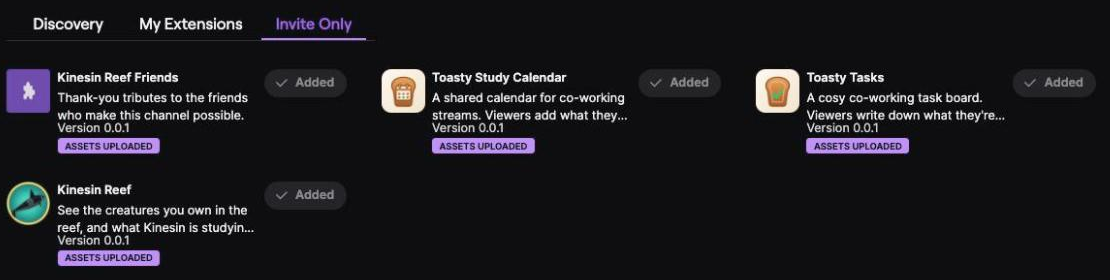
- In your Creator Dashboard: Extensions → Invite Only, find Toasty Study Calendar, and Add it.
- Then My Extensions → Activate, and put it in a Video Overlay slot.
- Read this one or it will look broken. Open your channel with the stream playing, click the puzzle-piece icon to the right of the player, and press Accept on Twitch's "This is a Test Extension that Twitch has not evaluated" notice. Until that is accepted there is no overlay at all — not a broken one, none — and every person watching has to do it once, in each browser. It goes away when the extension is released.
And it only appears while the video is actually playing. On a paused player, "the extension is missing" and "the stream isn't running" look exactly the same.
Adding someone else
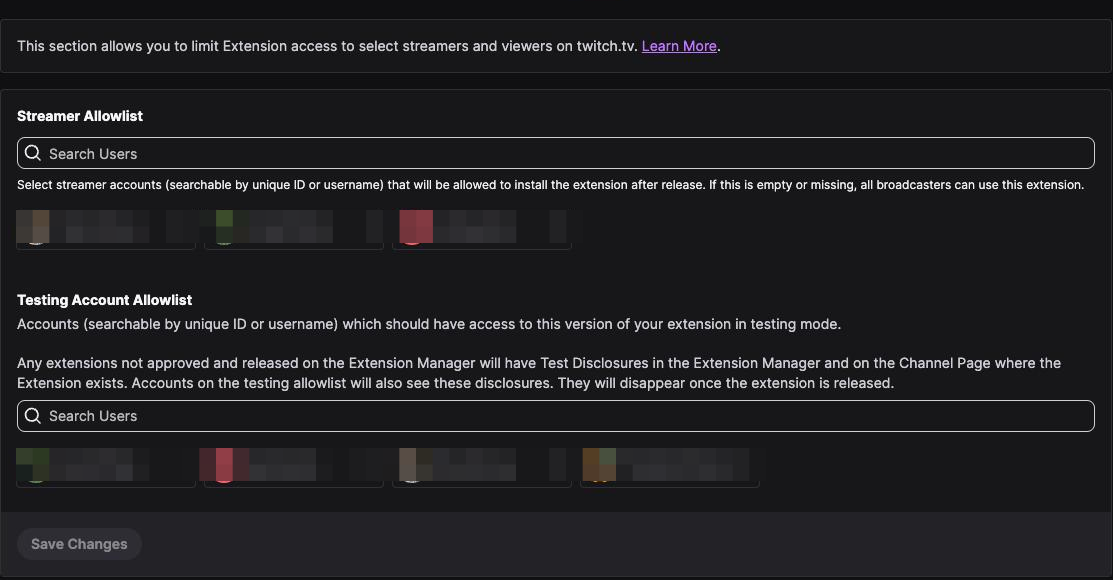
While the extension is in testing, anyone you want to see it — another mod, a friend — has to be on an allowlist by name. This is done from the developer console, so it is a message to Kinesin rather than a switch on your side. There are two lists, and they do different jobs:
- Testing Account Allowlist — the people who can see and use it right now.
- Streamer Allowlist — the channels allowed to install it after release. Left empty it would mean every broadcaster on Twitch, so it is filled in on purpose: this stays yours.
Adding someone has a cost, which is worth knowing before you ask. The Access tab is read-only while the extension is in Hosted Test, so editing it means moving the version back to Local Test, adding the name, saving, and moving it forward again. During that window Twitch serves the extension from the developer's own machine, so the overlay is blank for everyone watching for about ninety seconds. Best done off air — so it is worth batching a few names into one request rather than asking one at a time.
What it stores
Per viewer: their calendar entries, their tasks, an anonymous per-channel id, and a count of things they have finished. A display name only if they tap the 🔗 link button and let Twitch share it — decline and they are simply someone.
No email, no password, no payment details, no ads, no analytics, no location — and not even a timezone: each viewer's clock is read in their own browser and never sent anywhere. Nothing leaves your channel and nothing is sold.
Still to come
- The Timer and Stats tabs, and the phone view, work — but have not been driven on a real live channel yet. Yours will be the first.
!mylist,!mystatsand!taskstatsstay with StreamElements. The overlay reaches every viewer at once, so it has no way to answer one person privately.- Then: submitting to Twitch for review, so your viewers can see it too.
There is a second one 🍞
Toasty Tasks is the companion — a smaller, task-board-only extension that sits in a component slot rather than over the video. Twitch allows one overlay and two components per channel, so you can run both at once. Their chat commands were deliberately kept apart, so one message never lands on two boards.
Built for you 💚 — if something is wrong, or you want it to work differently, just say. It is meant to fit your stream, not the other way round.